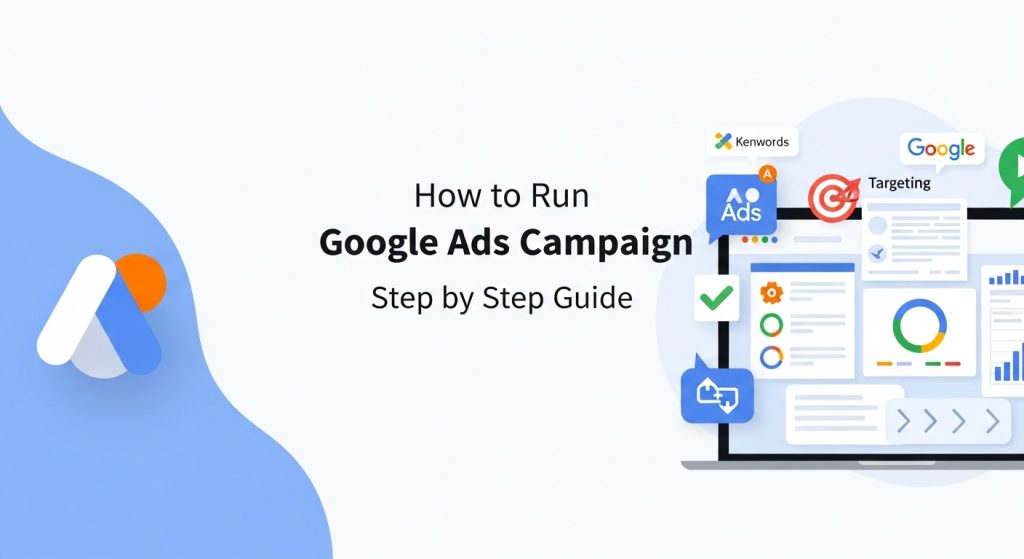
Running a successful digital campaign begins with understanding how to run Google Ads. Google Ads is a powerful online advertising platform that helps businesses reach potential customers actively searching for products or services. Unlike organic search, ads deliver instant visibility, allowing beginners and experts alike to drive traffic, leads, and sales quickly. By learning the right steps, you can optimize ad spend, create targeted campaigns, and measure real results using Google Analytics. This guide will walk you through a step-by-step approach, from account setup to campaign optimization, ensuring your ads are profitable and effective.
What Is Google Ads and How It Works
Google Ads is an online advertising platform developed by Google, allowing businesses to display ads on search results and partner websites. Ads work on a pay-per-click (PPC) basis, meaning you only pay when someone clicks your ad. Understanding the auction system and Quality Score is crucial to maximize results. Google evaluates ad relevance, expected click-through rate, and landing page experience to determine ad placement. By learning how to run Google Ads, businesses can reach the right audience, boost brand awareness, and increase sales efficiently.
Types of Google Ads Campaigns
Google Ads offers multiple campaign types: Search, Display, Shopping, Video, and Performance Max. Search campaigns show text ads in search results for high-intent users. Display campaigns appear on websites and apps, ideal for brand awareness. Shopping campaigns promote products visually with price info. Video campaigns target users on YouTube, while Performance Max campaigns automate placements across all networks. Choosing the right type depends on goals, audience, and budget. Understanding the differences ensures you run Google Ads effectively, maximizing ROI for every campaign type.
Setting Up a Google Ads Account
To start how to run Google Ads, first create a Google Ads account. Use a valid Gmail account, then navigate to the Google Ads homepage and click “Start Now.” Enter your business website, select goals, and choose a campaign type. Setting up billing info, time zone, and account preferences is essential for tracking performance. The Google Ads dashboard gives control over campaigns, keywords, and performance metrics. Proper account setup ensures smooth campaign management, better optimization, and accurate reporting of clicks, impressions, and conversions.
Understanding Keywords and Match Types
Keywords are the backbone of Google Ads campaigns. Selecting the right keywords ensures ads reach relevant customers. There are three main match types: Broad, Phrase, and Exact. Broad match reaches the widest audience, Phrase targets searches containing the keyword, and Exact matches only the specific term. Use negative keywords to avoid irrelevant clicks. Tools like Google Keyword Planner, Semrush, and SpyFu help identify high-performing keywords. By understanding how to use keywords and match types correctly, you can optimize ad spend and achieve better results in every campaign.
Creating Effective Ad Groups
An ad group contains a set of related keywords and ads. Organizing your account into targeted ad groups improves relevance and Quality Score, lowering costs. Each ad group should focus on a single theme or product, making ads more specific. Include high-performing keywords and variations, then write compelling headlines and descriptions. Proper ad group structuring ensures better CTR, higher conversion rates, and a more efficient Google Ads campaign, allowing you to manage budgets and performance per group.
Writing High-Converting Ads
Crafting ads that attract clicks is key to how to run Google Ads successfully. Use clear headlines, descriptions, and call-to-action phrases like “Buy Now” or “Sign Up Today.” Include keywords naturally in the ad copy to improve relevance. Highlight unique selling points such as discounts, features, or free shipping. Split-test multiple versions using A/B testing to find the best-performing ad. Well-written ads combined with proper targeting lead to increased click-through rates, conversions, and ROI.
Setting Campaign Budgets
Budgeting is crucial for Google Ads campaigns. Determine a daily or monthly budget based on your goals and expected ROI. Start small, monitor performance, and scale gradually. Consider using Manual CPC bidding initially for more control or Automated Bidding to optimize conversions. Understanding how much you’re willing to pay per click and per conversion prevents overspending. With proper budget management, you can maximize results while learning how to run Google Ads effectively.
Targeting the Right Audience
Audience targeting ensures your ads reach people most likely to convert. Use demographics, location, device, and interest targeting in Google Ads. For example, local businesses can target customers in a city, while e-commerce stores can use remarketing to re-engage previous visitors. Proper targeting improves CTR, lowers wasted spend, and increases ROI. Learning how to run Google Ads with precise targeting helps deliver the right message to the right users at the right time.
Tracking Conversions and ROI
Measuring success is vital. Set up conversion tracking in Google Ads to monitor sales, sign-ups, or leads. Integrate with Google Analytics for deeper insights. Metrics like CTR, CPC, CPA, and conversion rate indicate performance. Use these to adjust bids, keywords, and ads for optimal ROI. Understanding these analytics is a key part of how to run Google Ads, ensuring every dollar spent drives measurable business outcomes.
Optimizing Campaign Performance
Optimization keeps campaigns profitable. Regularly review keywords, ads, bids, and targeting. Pause underperforming keywords, refine ad copy, and adjust budgets based on ROI. Use A/B testing for ads and landing pages. Automated tools like Google Ads Recommendations can suggest improvements. Continuous optimization is essential to learn how to run Google Ads efficiently and maintain high-performing campaigns over time.
Using Google Ads Tools and Features
Google Ads offers tools like Keyword Planner, Auction Insights, Recommendations, and Ad Extensions. These features help analyze competition, optimize bids, and enhance ad visibility. Ad extensions such as sitelinks, callouts, and structured snippets improve CTR and ad relevance. Learning to leverage these tools is an advanced step in how to run Google Ads, giving campaigns a competitive edge and increasing the chances of conversions.
Understanding Quality Score
Quality Score measures ad relevance, CTR, and landing page experience. A high Quality Score reduces CPC and improves ad position. Factors include keyword relevance, ad copy, and user experience. By optimizing ad groups, keywords, and landing pages, you improve Quality Score. Knowing this metric is critical for how to run Google Ads, ensuring campaigns are cost-effective and competitive in the auction system.
Monitoring and Reporting
Regular reporting ensures campaigns stay on track. Track impressions, clicks, conversions, and ROI using the Google Ads dashboard. Weekly or monthly reports help identify trends and areas for improvement. Use data visualization tools in Google Ads or Google Data Studio to simplify analysis. Consistent monitoring is essential to maintain campaign success and understand how to run Google Ads efficiently.
Advanced Strategies for Success
After mastering basics, explore advanced tactics: remarketing, Dynamic Search Ads, Smart Bidding, and Performance Max campaigns. These features automate ad placement and targeting for higher ROI. Use competitor research with SpyFu or SEMRush to uncover high-converting keywords and strategies. Combining advanced methods with a solid foundation ensures long-term success in how to run Google Ads, keeping campaigns efficient, profitable, and scalable.
Common Mistakes to Avoid
Avoid common pitfalls like overspending, targeting too broadly, ignoring negative keywords, or neglecting conversion tracking. Poorly structured ad groups and irrelevant ads lower CTR and Quality Score. Regular optimization, testing, and monitoring prevent wasted budget. Learning how to run Google Ads correctly from the start saves time, improves ROI, and ensures your campaigns perform consistently over time.
Conclusion
Mastering how to run Google Ads is essential for businesses looking to increase online visibility, leads, and sales. From understanding campaign types, selecting the right keywords, crafting high-converting ads, to monitoring performance metrics, every step contributes to a profitable campaign. Proper audience targeting, budget management, and continuous optimization improve ROI while avoiding wasted spend. Leveraging tools like Google Keyword Planner and Google Analytics ensures campaigns remain data-driven and efficient. By following these best practices, any business can confidently launch, manage, and scale successful Google Ads campaigns.
FAQs
The easiest way is to create a Google Ads account, select a campaign goal, choose a campaign type like Search or Display, and set a daily budget. Beginners should focus on a small budget and target high-intent keywords to learn how to run Google Ads effectively.
The cost per click (CPC) varies based on competition, industry, and keyword quality. Popular keywords like “buy shoes online” may cost more, while niche terms are cheaper. Optimizing Quality Score and targeting can lower costs while maximizing ROI.
Use tools like Google Keyword Planner or SEMRush to find relevant keywords with high search intent and moderate competition. Include negative keywords to avoid irrelevant clicks and group keywords into focused ad groups for better performance.
Set up conversion tracking in Google Ads to monitor actions like sales, form submissions, or sign-ups. Integrate Google Analytics for deeper insights. Tracking allows you to measure ROI, optimize campaigns, and understand which ads drive results.
Results vary by campaign type, budget, and competition. Search campaigns can generate clicks almost immediately, while Display or Performance Max campaigns may take longer to optimize. Continuous monitoring and optimization are key to seeing consistent ROI.