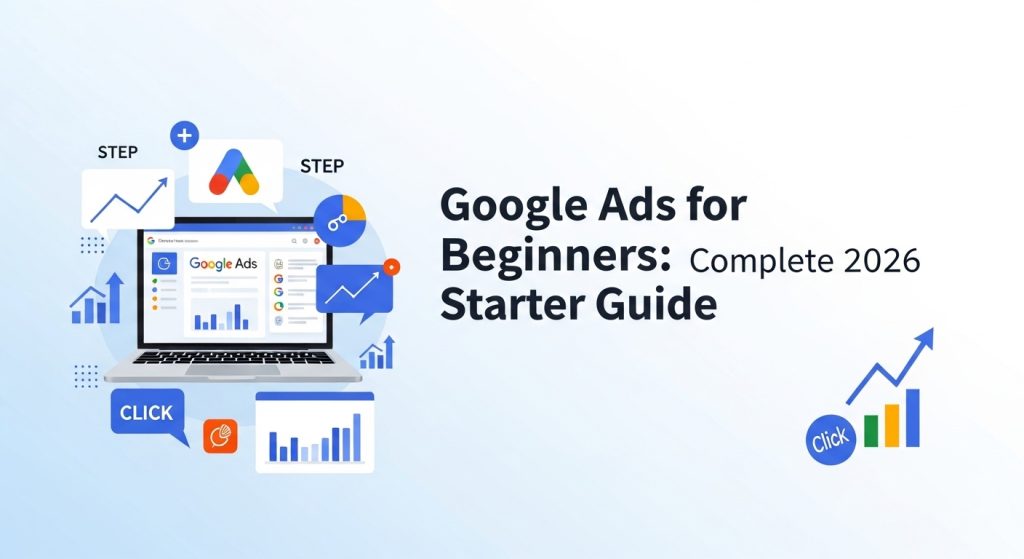
If you are new to digital advertising, Google Ads for Beginners offers an accessible way to start driving traffic, leads, and sales online. Google Ads is the world’s most popular pay-per-click (PPC) advertising platform, allowing businesses of all sizes to reach potential customers precisely when they are searching. By following a structured approach, beginners can create effective campaigns, understand audience targeting, and measure results through conversion tracking. This guide will take you step by step through account setup, campaign creation, keyword research, and ad optimization, providing a solid foundation for your digital marketing efforts in 2026.
Why Google Ads Still Dominates Digital Marketing
Google Ads for Beginners is more relevant than ever in 2026 due to its precise targeting, measurable results, and high return on investment (ROI). With search campaigns, display campaigns, and Performance Max campaigns, businesses can reach audiences across multiple channels including Google Search, YouTube, and Gmail. Digital marketers trust Google Ads because it delivers qualified traffic, enabling cost-effective advertising. Beginners benefit from real-time analytics in the Google Ads Dashboard, which allows them to track clicks, conversions, and campaign performance. Overall, digital advertising with Google Ads provides scalable growth for businesses of all sizes.
Setting Up Your Google Ads Account
Before creating campaigns, you need a Google account and a website. Logging into the Google Ads Dashboard, beginners can follow prompts to set up billing, define objectives, and create their first campaign structure. Account setup includes selecting campaign types, budgets, and ad formats. Understanding the layout of the Google Ads Dashboard is crucial for navigating reports, optimization tools, and analytics. By completing this step, beginners gain access to all features necessary to launch campaigns, track performance, and start their journey in digital marketing with confidence.
Understanding Campaign Structure
A well-organized campaign structure improves performance and Quality Score. Each Google Ads account contains campaigns, which include ad groups, keywords, and ads. Campaigns focus on overall objectives, while ad groups cluster related keywords and ads. Structuring correctly ensures that your ads are highly relevant to user searches, boosting click-through rates (CTR) and lowering cost-per-click (CPC). For beginners, starting with a simple, well-defined structure allows easy optimization. Using Performance Max campaigns strategically can also automate placements across Google’s network while maintaining strong control over results.
Defining Campaign Goals
Every successful campaign starts with clear objectives. Google Ads for Beginners teaches how to align goals with business outcomes, such as generating leads, increasing website traffic, boosting sales, or improving brand awareness. Choosing the right campaign type depends on these goals. Setting measurable KPIs and monitoring them through the Google Ads Dashboard helps beginners optimize budgets and bidding strategies. Without clear objectives, campaigns may spend money inefficiently. Proper goal setting ensures that your digital advertising efforts are focused, measurable, and profitable over time.
Choosing the Right Campaign Type
Google Ads offers multiple campaign types: Search campaigns show ads on Google search results, Display campaigns reach audiences across websites, Video campaigns appear on YouTube, and Shopping campaigns display products in search. Performance Max campaigns use AI to maximize performance across multiple channels. Beginners should match campaign types with objectives: leads, sales, or brand visibility. Understanding each type helps improve ad placement, CTR, and overall campaign effectiveness. Using the correct campaign type is foundational for Google Ads for Beginners to succeed in driving measurable results.
Conducting Keyword Research
Keywords are the backbone of Google Ads campaigns. Beginners should use Keyword Planner to discover relevant terms, focusing on both short-tail and long-tail keywords. Understanding search intent ensures ads reach the right audience. Grouping keywords by theme helps organize ad groups efficiently, improving Quality Score. Researching competitive keywords also allows for better budget allocation and bidding strategy. Regularly updating your keyword list ensures campaigns stay relevant and effective. Proper keyword research is essential for Google Ads for Beginners to generate traffic and conversions efficiently.
Keyword Match Types Explained
Google Ads provides different match types: broad, phrase, exact, and negative. Broad match captures a wide range of search queries, while phrase match targets specific phrases. Exact match ensures precise targeting, and negative keywords prevent irrelevant traffic. Choosing the correct match type influences CPC and CTR. Beginners benefit from testing match types to balance traffic volume and quality. Proper use of match types in Google Ads for Beginners campaigns increases ROI, prevents wasted spend, and improves the overall performance of your digital advertising efforts.
Creating High-Performing Ad Groups
Ad groups organize related keywords and ads, improving relevance and Quality Score. Beginners should create ad groups around specific products, services, or themes. Each ad group should have multiple ads to test variations. Strong ad copy, paired with well-researched keywords, increases CTR and drives conversions. Monitoring performance in the Google Ads Dashboard allows continuous optimization. Efficient ad group structure is a crucial step in Google Ads for Beginners campaigns, ensuring your ads reach the right audience while maximizing ROI.
Writing Killer Ads That Convert
High-converting ads grab attention and drive action. Include your main keywords in headlines and descriptions, use strong calls-to-action (CTA), and emphasize benefits. Emotional triggers and clear value propositions increase CTR. Beginners should test multiple ad variations to determine what resonates best with their audience. Incorporating ad extensions like sitelinks or call buttons further enhances visibility. Writing compelling ads is essential for Google Ads for Beginners, as it directly impacts engagement, conversion rates, and the success of your digital advertising campaigns.
Setting Budget and Bidding Strategies
Budgeting and bidding are critical to campaign success. Beginners must decide between manual CPC and automated bidding strategies like Maximize Clicks, Target CPA, or Target ROAS. Allocating budget based on high-performing keywords increases efficiency. Tracking ROI ensures campaigns stay profitable. Using automated bidding in Performance Max campaigns leverages Google’s AI for optimal results. Understanding budgeting and bidding is a core lesson in Google Ads for Beginners, helping beginners manage spend while maximizing conversions in 2026.
Audience Targeting and Segmentation
Effective audience targeting ensures ads reach potential customers. Google Ads allows segmentation by demographics, location, device, interests, and behavior. Beginners can create remarketing audiences to retarget previous visitors, improving conversion rates. Proper segmentation increases relevance and engagement while reducing wasted ad spend. Integrating targeting with keyword strategy ensures ads reach the right users at the right time. Audience targeting is a vital skill for Google Ads for Beginners, enabling precise digital advertising campaigns that generate measurable results.
Using Ad Extensions to Boost CTR
Ad extensions enhance visibility and improve CTR. Beginners should utilize sitelinks, call extensions, structured snippets, and lead form extensions. Extensions provide additional information, increase ad real estate, and improve Quality Score. Proper use of extensions makes ads more clickable, which drives higher engagement and conversions. In Google Ads for Beginners, mastering ad extensions is a simple yet powerful way to make campaigns more effective and maximize the potential of your digital advertising efforts.
Conversion Tracking and Analytics
Tracking conversions is critical for measuring campaign success. Beginners should integrate Google Analytics and Google Ads conversion tracking to monitor actions such as form submissions, purchases, or calls. Insights from data allow optimization of keywords, ads, and bidding strategies. Using analytics ensures campaigns are ROI-focused. Beginners who understand how to read reports and adjust campaigns accordingly will achieve better results. Conversion tracking is a cornerstone of Google Ads for Beginners, providing actionable data to refine strategies and improve performance over time.
Launching and Optimizing Your First Campaign
Launching campaigns requires a pre-launch checklist: reviewing keywords, ad copies, bids, and landing pages. Monitoring campaigns in the Google Ads Dashboard helps identify opportunities for optimization. Beginners should test ads, adjust budgets, and refine targeting to maximize ROI. Using Performance Max campaigns allows automated optimization across multiple channels. Regular analysis ensures campaigns stay competitive. Proper campaign launch and continuous optimization are essential for success in Google Ads for Beginners, enabling consistent traffic growth and conversions in 2026.
Common Beginner Mistakes and How to Avoid Them
Beginners often make mistakes like using overly broad keywords, ignoring negative keywords, or writing weak ad copy. Not setting up conversion tracking can lead to wasted budgets. Overlooking ad extensions or targeting incorrectly reduces effectiveness. Learning from these errors and using analytics to adjust strategies is crucial. Avoiding these common pitfalls ensures that Google Ads for Beginners campaigns run efficiently, maximize ROI, and provide measurable results for digital advertising efforts.
Advanced Tips for Beginners
Even beginners can use advanced strategies to enhance campaigns. Split testing ads and landing pages improves performance. Using automated rules and scripts streamlines management. Scaling campaigns with Performance Max helps reach multiple channels while keeping costs efficient. Leveraging insights from Google Analytics ensures data-driven decisions. By applying these advanced tips, beginners can optimize campaigns faster, improve Quality Score, and get higher conversions from their Google Ads for Beginners campaigns.
Conclusion
Mastering Google Ads for Beginners is essential for businesses looking to grow online in 2026. By understanding campaign structure, keyword research, ad creation, audience targeting, and conversion tracking, beginners can launch profitable campaigns with measurable results. Leveraging tools like Performance Max campaigns, ad extensions, and the Google Ads Dashboard helps optimize performance while minimizing wasted spend. Continuous monitoring, testing, and optimization ensures campaigns stay effective. With patience and practice, beginners can confidently create digital advertising campaigns that drive traffic, leads, and sales, building a strong foundation in Google Ads for long-term success.
FAQs
Google Ads is an online advertising platform that allows businesses to display ads on Google Search, YouTube, and partner websites. Advertisers bid on keywords, create ads, and target audiences to drive traffic, leads, and sales.
The cost varies depending on your budget, competition, and bidding strategy. Beginners can start with a small daily budget, often as low as $5–$10, and scale as they optimize campaigns for ROI.
Beginners should focus on long-tail keywords relevant to their products or services. Using tools like Google Keyword Planner helps discover high-intent, low-competition keywords to maximize campaign efficiency.
By linking Google Ads with Google Analytics and setting up conversion tracking, you can measure actions like form submissions, purchases, or calls. This ensures campaigns are ROI-focused.
Common mistakes include using overly broad keywords, ignoring negative keywords, writing weak ad copy, not setting conversion tracking, and skipping ad extensions. Avoiding these ensures better Quality Score and more effective campaigns.