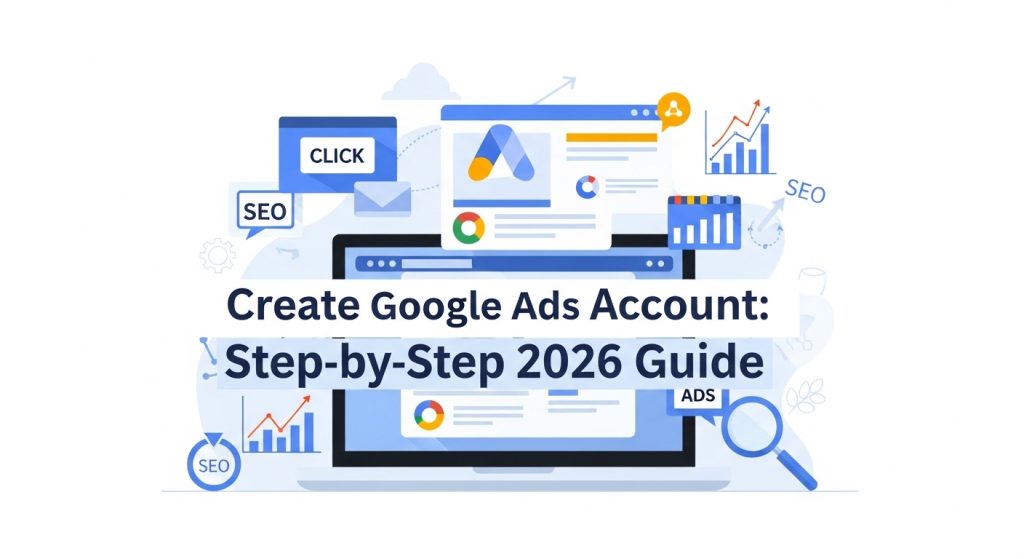
Creating a Google Ads Account is the first essential step for businesses looking to advertise on Google Search, YouTube, and the Google Display Network. Whether you are a small business, a startup, or an established corporation like Procter & Gamble or Capgemini, having a properly set up account allows you to manage campaigns, track conversions, and optimize ads effectively. Beginners often struggle with the account setup process, but understanding the fundamentals of campaign structure, billing, and targeting can simplify the journey. This guide provides a step-by-step approach, covering account creation, campaign setup, ad group management, and optimization strategies, ensuring that even first-time users can launch profitable Google Ads Marketing campaigns in 2026.
Why You Should Create a Google Ads Account
A Google Ads Account provides businesses with instant visibility on one of the most powerful advertising platforms. Unlike traditional marketing, it allows for precise targeting, tracking, and optimization. Users can reach potential customers based on search intent, location, device, and demographic preferences. Platforms like Google Ads and YouTube Ads offer diverse formats, including search, display, and video ads. Companies like Danone and Tata leverage this platform to drive conversions and increase ROI. Creating an account enables businesses to monitor performance, adjust bids, and test ad variations. For beginners, understanding the benefits of account ownership is crucial to designing campaigns that meet specific objectives while minimizing wasted budget.
Requirements for Creating an Account
Before you create a Google Ads Account, ensure you have the necessary prerequisites. A Google account is mandatory, as it provides access to Google Ads, Google Analytics, and other marketing tools. A valid billing method such as a credit card or bank account is also required. Define your advertising objectives, whether it’s lead generation, website traffic, or brand awareness. Preparing a list of target keywords, landing pages, and ad creatives in advance streamlines setup. Businesses like L’Oreal and Petrobras carefully plan these elements to optimize campaigns from day one. Ensuring all requirements are in place reduces errors, accelerates setup, and positions beginners for immediate success with their Google Ads Marketing efforts.
Signing Up for Google Ads
To create a Google Ads Account, visit ads.google.com and click “Start Now.” Log in using your Google account credentials. Beginners are guided through account setup prompts, which include selecting campaign goals such as “Sales,” “Leads,” or “Website Traffic.” Ensure your account name reflects your business or campaign for clarity. Google will then request billing information and time zone settings. Proper configuration during signup is essential because incorrect settings can affect reporting and campaign optimization. Following these steps ensures your account is ready to launch campaigns, track conversions, and optimize Google Ads Marketing initiatives efficiently.
Setting Up Your First Campaign
Once you create a Google Ads Account, the next step is to configure your first campaign. Select a campaign type, such as Search Ads, Display Ads, or Shopping Ads, based on your business goals. Define your campaign objective, whether it’s driving leads, website visits, or brand awareness. Set daily budgets and bidding strategies, like Maximize Conversions or Target CPA, to optimize spending. Assign locations, languages, and devices to target your audience effectively. Beginners should align campaign settings with business objectives, similar to how companies like Capgemini manage multi-channel campaigns. Proper initial setup ensures your campaign runs smoothly and delivers measurable results.
Creating Ad Groups
Ad groups are essential for organizing campaigns in Google Ads Marketing. Each ad group should focus on a set of related keywords, ensuring ad relevance and higher Quality Score. Use a mix of short-tail and long-tail keywords targeting user intent, such as “buy energy-efficient pool heaters” versus “pool heaters for small backyard.” Each ad group can contain multiple ad variations to test which copy drives the best results. Platforms like Google Ads Editor simplify bulk management for large accounts. Proper ad group structure enables better performance tracking, efficient budget allocation, and higher conversion rates for beginners managing their first campaigns.
Writing Effective Ads
Crafting compelling ads is vital in Google Ads Marketing. Include the main keyword naturally in headlines and descriptions. Highlight unique selling points (USPs) like “energy-efficient technology” or “free installation.” Strong CTAs, such as “Shop Now” or “Get a Quote,” drive clicks and conversions. Consider Dynamic Keyword Insertion (DKI) to match ads with search queries automatically. Test multiple ad variations through A/B testing to identify the most effective messaging. Align ad copy with landing pages for consistency and better user experience. Effective ad writing improves CTR, reduces CPC, and ensures campaigns deliver measurable ROI for beginners and experienced marketers alike.
Setting Up Billing and Payment
Billing setup is critical when you create a Google Ads Account. Google requires a valid payment method such as credit card, debit card, or bank account. Choose your billing country, currency, and payment threshold carefully, as these settings influence campaign costs and reporting. For beginners, starting with a small daily budget allows testing campaigns without overspending. Platforms like Google Ads provide invoices and transaction histories for transparency. Proper billing ensures uninterrupted ad delivery, accurate reporting, and scalable campaign management, making this a vital step for all businesses.
Configuring Targeting
Targeting determines who sees your ads in Google Ads Marketing. Options include location, language, device type, audience demographics, and interests. Retargeting helps reconnect with previous website visitors, while custom audiences identify high-intent prospects. Beginners should segment campaigns carefully to avoid wasting budget on irrelevant clicks. For instance, a campaign promoting pool heaters might target homeowners in warm climates who search for energy-efficient heating solutions. Using Google Ads Audience Insights ensures precision, improves CTR, and increases conversion potential, providing a strategic advantage for first-time advertisers.
Tracking Conversions
Conversion tracking measures the success of Google Ads Marketing campaigns. Integrate Google Analytics and Google Ads Conversion Tracking to monitor actions like purchases, form submissions, or newsletter signups. Define clear conversion goals for each ad group. Tracking performance by device, location, and keyword helps optimize campaigns. Beginners benefit from understanding which keywords and ads drive ROI. Accurate tracking enables data-driven decisions, informed budget allocation, and efficient scaling. Businesses like Procter & Gamble rely heavily on conversion data to refine campaigns, ensuring maximum effectiveness and profitability.
Using Ad Extensions
Google Ads Marketing is enhanced by ad extensions. Sitelink, callout, structured snippet, and call extensions provide additional information without extra cost. For instance, sitelinks can direct users to specific product pages like “solar pool heaters” or “automatic temperature control.” Call extensions enable immediate customer contact. Ad extensions increase ad visibility, CTR, and Quality Score, delivering higher engagement and ROI. Beginners should implement extensions strategically to showcase key offerings and improve ad performance across campaigns efficiently.
Optimizing Campaigns
Optimization is crucial for successful Google Ads Marketing. Monitor CTR, conversion rate, and CPA regularly. Pause low-performing keywords, expand high-converting long-tail keywords, and use negative keywords to reduce wasted spend. A/B test ad variations for headlines and CTAs. Adjust bids based on location, device, or time of day to maximize ROI. Tools like Google Ads Editor and SEMRush assist with performance analysis. Continuous optimization ensures campaigns remain efficient, cost-effective, and competitive, providing a clear path for beginners to scale effectively.
Scaling Campaigns
After achieving initial success, scaling enhances Google Ads Marketing performance. Expand to new keywords, audiences, and geographic locations. Test additional ad formats such as Display, Video, or Shopping Ads. Use automated bidding strategies to manage larger budgets efficiently. Monitor performance to avoid wasted spend while scaling. Tools like Ahrefs and SEMRush help identify competitor gaps and growth opportunities. Thoughtful scaling maximizes ROI, improves conversions, and supports sustainable campaign growth.
Best Practices for Beginners
Beginners should follow essential best practices when they create a Google Ads Account. Start with clear goals, organized campaigns, and structured ad groups. Conduct thorough keyword research using tools like Google Keyword Planner and competitor analysis. Write engaging ad copy, track conversions, and implement ad extensions. Monitor performance and optimize regularly. Avoid overspending by using daily budgets and negative keywords. Following these strategies ensures efficient campaigns, measurable results, and a strong foundation for scaling. Businesses like Danone and Tata exemplify the importance of disciplined campaign management for consistent ROI.
Conclusion
Creating a Google Ads Account is the foundation of effective digital advertising. By following this step-by-step guide, beginners can set up accounts, structure campaigns, conduct keyword research, write compelling ads, track conversions, and optimize performance. Implementing ad extensions, advanced targeting, and scaling strategies ensures campaigns deliver measurable results while staying cost-efficient. Consistent monitoring and adjustments improve ROI and campaign success. Mastery of these processes enables businesses to leverage Google Ads Marketing in 2026 effectively, reaching the right audience at the right time and driving conversions consistently.
FAQs
Visit ads.google.com, sign in with a Google account, and follow setup prompts.
A Google account, valid billing method, campaign objectives, and keywords.
Yes, following structured campaigns, keyword research, and optimization best practices ensures success.
It measures campaign performance, helping optimize ads, keywords, and budgets for better ROI.
Yes, extensions like sitelinks and callouts increase visibility, CTR, and Quality Score.