A Meta Ads Campaign is a paid advertising system created inside Meta Ads Manager that allows businesses to promote products, services, or brands across Facebook, Instagram, Messenger, and Audience Network. Unlike traditional advertising, Meta uses advanced machine learning and user behavior data to show ads to the most relevant audience.In 2026, digital marketing success depends heavily on smart social advertising. A properly structured Meta Ads Campaign helps businesses generate awareness, website traffic, leads, and sales efficiently. Because Meta collects real-time engagement data, advertisers can continuously optimize campaigns.Beginners often think running ads is complicated; however, once you understand campaign structure, targeting, and optimization, Meta advertising becomes one of the most powerful marketing tools available today.
Meta Ads Campaign Structure Explained
Every successful Meta Ads Campaign follows a three-level structure inside Meta Business Manager:
Campaign Level
Here you choose the marketing objective such as awareness, traffic, engagement, leads, or conversions.
Ad Set Level
Audience targeting, budget, placements, and schedule are configured here.
Ad Level
This is where creatives live — images, videos, headlines, descriptions, and call-to-action buttons.
This hierarchy ensures proper organization and optimization. For example, advertisers can test multiple audiences under one campaign while keeping objectives consistent. Understanding this structure prevents wasted budget and improves performance tracking.
Setting Up Meta Business Manager
Before launching your first Meta Ads Campaign, you must create a verified Meta Business Manager account. This platform centralizes business assets including Facebook Pages, Instagram profiles, ad accounts, and payment methods.
Start by adding your business information and verifying ownership. Then assign user roles such as Admin, Advertiser, or Analyst to manage permissions securely. After setup, connect your website using Meta Pixel for conversion tracking.
A properly configured Business Manager improves collaboration, protects assets, and ensures accurate reporting. Additionally, verified accounts often achieve better ad delivery because Meta trusts authenticated businesses more.
Choosing the Right Campaign Objective
Selecting the correct objective determines how your Meta Ads Campaign performs. Meta groups objectives into three main categories:
- Awareness
- Consideration
- Conversion
For beginners, traffic or engagement campaigns help gather initial audience data. Meanwhile, businesses focused on sales should prioritize conversion objectives.
Meta’s algorithm optimizes delivery based on your selected goal. Therefore, choosing the wrong objective can increase costs and reduce results. Align your objective with your business stage — brand awareness for new businesses and conversions for established brands.
Strategic objective selection ensures efficient spending and stronger return on investment.
Audience Targeting Fundamentals
Audience targeting is the heart of every Meta Ads Campaign. Meta provides powerful targeting options based on demographics, interests, behaviors, and online activity.
Advertisers can build:
- Core Audiences
- Custom Audiences
- Lookalike Audiences
Custom audiences allow retargeting website visitors or existing customers. Meanwhile, lookalike audiences expand reach by finding users similar to your best clients.
Effective targeting reduces wasted impressions and increases conversions. Testing multiple audiences and analyzing performance helps identify profitable segments faster. As competition increases in 2026, precise targeting becomes the biggest advantage for successful advertisers.
Creating High-Converting Ad Creatives
Creative quality strongly influences Meta Ads Campaign performance. Meta favors engaging visuals, authentic storytelling, and mobile-first design.
Best Creative Formats
- Short-form video ads
- Carousel ads
- Reels ads
- Image ads with strong CTA
Use clear messaging, emotional hooks, and benefits-focused headlines. Adding testimonials or user-generated content builds trust quickly.
Additionally, refresh creatives regularly to prevent ad fatigue. High-performing advertisers continuously test multiple creatives and let Meta optimize delivery automatically.
Strong creative combined with good targeting dramatically improves CTR and conversion rates.
Setting Up Meta Pixel Tracking
The Meta Pixel is essential for optimizing any Meta Ads Campaign. This tracking code monitors user actions such as page visits, purchases, and sign-ups.
Once installed on your website, Pixel data enables:
- Conversion tracking
- Retargeting audiences
- Automated optimization
- Performance analytics
Without Pixel tracking, Meta cannot learn which users convert. As a result, campaigns become less efficient.
Beginners should verify Pixel installation through Events Manager and track key events like Add to Cart or Lead submissions. Accurate data allows Meta’s AI to deliver ads to high-intent users.
Budget and Bidding Strategies
Budget management determines profitability in a Meta Ads Campaign. Meta provides flexible options including daily budgets and lifetime budgets.
Common bidding strategies include:
- Lowest Cost
- Cost Cap
- Bid Cap
Beginners should start with Lowest Cost bidding because Meta automatically optimizes delivery. As campaigns gather data, advertisers can experiment with cost controls.
Using Campaign Budget Optimization (CBO) allows Meta to distribute budget toward best-performing ad sets automatically. Smart budget allocation improves scalability and prevents unnecessary spending.
Choosing the Best Ad Placements
Meta offers multiple placements across its ecosystem:
- Facebook Feed
- Instagram Feed
- Stories
- Reels
- Messenger
- Audience Network
Automatic placements usually perform best for beginners because Meta optimizes delivery using performance data. However, advanced advertisers may exclude low-performing placements later.
Mobile-first placements dominate user engagement in 2026, making vertical creatives essential. Testing placements helps identify where audiences interact most with your ads.
Proper placement strategy improves reach while lowering advertising costs.
Launching Your First Campaign
After setup, you are ready to publish your first Meta Ads Campaign. Carefully review targeting, creatives, budgets, and tracking before launch.Avoid making frequent changes during the learning phase. Meta’s algorithm requires time to gather data and optimize delivery. Monitor early performance metrics such as CTR and CPM instead of judging results immediately.Successful advertisers allow campaigns to stabilize before scaling budgets. Patience combined with data analysis leads to consistent growth.
Retargeting for Higher Conversions
Retargeting dramatically increases ROI in a Meta Ads Campaign. Many users do not convert on their first interaction, making follow-up ads essential.
Create retargeting audiences for:
- Website visitors
- Video viewers
- Social media engagers
- Cart abandoners
Dynamic ads can show personalized products based on browsing behavior. Retargeting keeps your brand visible and encourages users to complete purchases.
Businesses often see significantly lower acquisition costs through retargeting compared to cold audiences.
A/B Testing and Optimization
Continuous testing improves every Meta Ads Campaign. A/B testing compares variations of creatives, headlines, audiences, or placements.
What to Test
- Images vs videos
- Different offers
- CTA buttons
- Audience segments
Run one test at a time to identify clear winners. Data-driven decisions outperform guesswork. Over time, testing reveals patterns that guide long-term strategy.
Optimization ensures campaigns evolve alongside audience behavior and platform changes.
Performance Tracking and Analytics
Tracking performance metrics is essential for scaling a Meta Ads Campaign successfully. Inside Meta Ads Manager, monitor:
- CTR (Click-Through Rate)
- CPA (Cost Per Acquisition)
- ROAS (Return on Ad Spend)
- Conversion Rate
Regular analysis helps identify winning ads and underperforming segments. Instead of focusing only on clicks, evaluate profitability metrics.
Data insights enable smarter decisions, stronger scaling strategies, and improved campaign efficiency over time.
Scaling Your Meta Ads Campaign
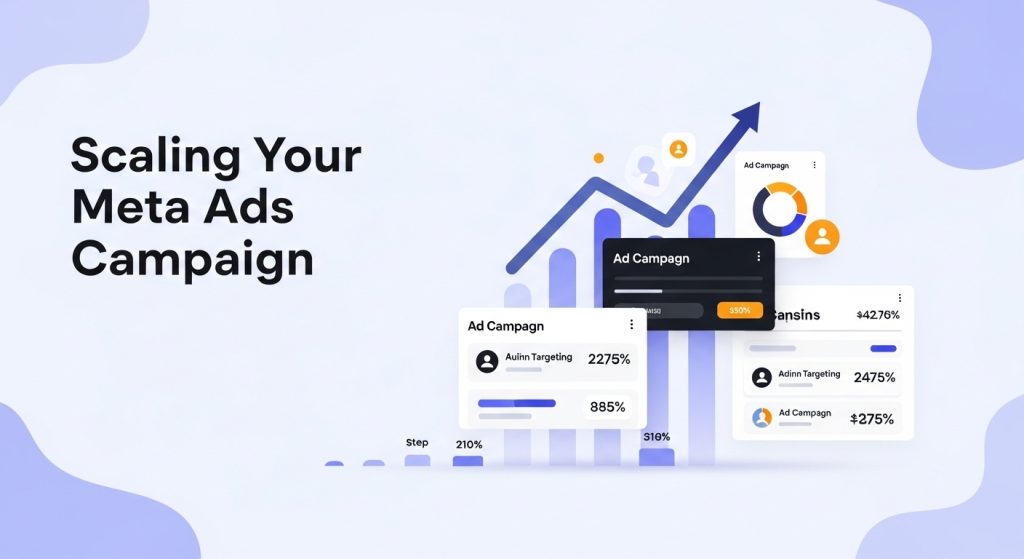
Once results become consistent, scaling your Meta Ads Campaign allows business growth. Increase budgets gradually instead of sudden large jumps.
Scaling methods include:
- Increasing budget by 20–30%
- Expanding lookalike audiences
- Launching new creatives
- Duplicating winning ad sets
Gradual scaling protects performance stability while increasing reach. Successful advertisers continuously test, optimize, and expand campaigns rather than relying on one ad.
Conclusion
Running a successful Meta Ads Campaign in 2026 requires strategy, patience, and continuous optimization. From setting up Meta Business Manager to targeting audiences, designing creatives, and scaling results, each step contributes to overall performance.Beginners who follow structured processes achieve faster learning curves and better ROI. Meta’s AI-powered advertising ecosystem rewards advertisers who use data intelligently and refine campaigns regularly. By applying the strategies in this guide, businesses can build profitable campaigns, attract qualified audiences, and achieve sustainable digital growth.
FAQs
A paid advertising campaign created in Meta Ads Manager to promote businesses on Facebook, Instagram, Messenger, and Audience Network.
Beginners can start with $5–$10 per day while testing audiences and creatives.
Yes. Meta provides automation, AI targeting, and simple campaign setup suitable for new advertisers.
Most campaigns need 3–7 days learning time before stable performance appears.
Traffic or Engagement objectives help collect initial data before moving to conversions.